
Food Recalls & Alerts
SmartAddress, Inc.Food & Drink
4.4692.00 Reviews
- Version
- 3.9.1
- Installs
- 50.00K
- Age Rating
- Everyone
Screenshots
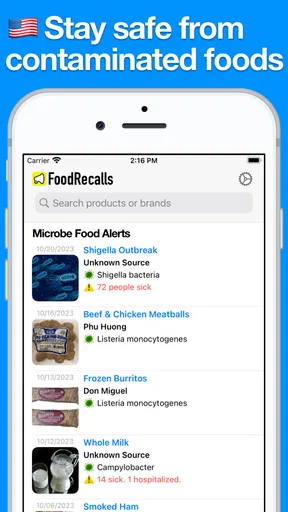
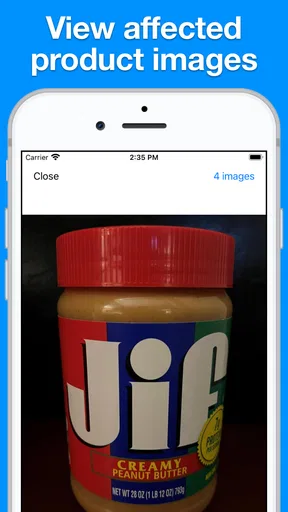
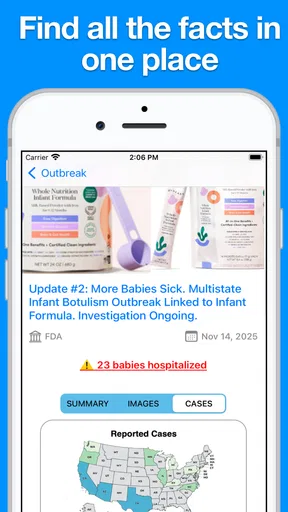
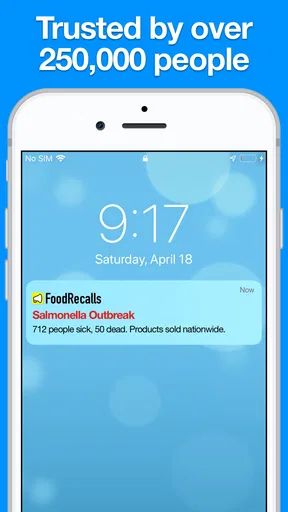
Our Review of Food Recalls & Alerts
 Analysis by Appyee
Food safety is easy to think about only after something goes wrong. I found Food Recalls & Alerts more useful as a quiet daily reference: it gives me a place to check whether a packaged item, ingredient, or household staple has been affected by a recall before I serve it or use it in a meal. It is a free Food & Drink app from SmartAddress, Inc., and its purpose is much narrower than a recipe app or grocery planner. That narrow focus is also its main strength.
The app is built around a simple question: “Is this food safe to use right now?” That makes it appealing to families, people who cook for others, and anyone managing allergies or a sensitive diet. I would not treat it as a replacement for careful label reading or official safety advice, but I do see value in having recall information gathered in one mobile tool instead of relying on occasional news stories or hoping a supermarket notice catches my attention.
How I use Food Recalls & Alerts in everyday life
I use Food Recalls & Alerts as a prompt to build a small, repeatable check into how I handle groceries, rather than as something I open only when a worrying story appears. This section looks at how I fit that check around shopping and cooking without letting it become another source of noise. The next section focuses on what I do when a search or a product match leaves me uncertain.
A practical baseline routine for groceries
My most useful routine is to check the app when I bring home food that has a long shelf life. Canned goods, frozen products, packaged snacks, infant foods, meat, and refrigerated items can remain in a kitchen for days or weeks, so a recall discovered later may still matter. I use the app as a second step after putting groceries away: first I inspect the product name, package size, lot information, and date, then I look for a relevant notice.
That order matters. A broad match is not automatically a reason to throw something away. Product recalls can apply only to certain lots, facilities, package sizes, or dates. The app is most helpful when I use it to prompt a closer comparison with the label in my hand, rather than treating every similar product name as an exact match.
A realistic example is a busy weekend meal. I might buy several packaged ingredients for a family dinner, leave some in the pantry, and forget which items were purchased together. Before cooking, I can open Food Recalls & Alerts and review current notices, then compare any possible match with the packaging. That takes less effort than searching multiple websites while standing in the kitchen, and it gives me a repeatable checkpoint before food reaches the table.
The same habit works for food already stored at home. I would not wait for a notification or a headline if I had a cupboard full of products bought at different times. A regular review is more dependable: choose a small group of stored foods, search them deliberately, and set aside anything that needs closer inspection. This is especially sensible when several people share shopping duties and nobody has a complete memory of what entered the house.
Who benefits most from the focused design
I think the app is particularly suitable for parents, carers, older adults, and people cooking for guests with allergies or other dietary concerns. In those situations, food safety is not just a personal preference. A missed notice can affect someone else, so having a dedicated place to check recalls can support a more careful routine.
It can also help people who buy from several stores or who regularly purchase the same packaged foods. Repetition creates a useful advantage: once I know which brands and product types are common in my kitchen, I can make recall checking part of the normal shopping cycle instead of starting from scratch every time.
On the other hand, this is not the right tool for someone looking mainly for meal inspiration, nutrition tracking, restaurant discovery, or a shopping list. It does not replace those categories. If your main concern is whether a food fits your calories, allergens, budget, or recipe plan, a nutrition or grocery app will be more appropriate. Food Recalls & Alerts earns its place beside those tools only when recall awareness is a real priority.
Settings and habits worth checking first
When I install a safety-focused app, I prefer to review its settings before relying on it. In Food Recalls & Alerts, the important question is how I want to use the information: as an occasional search tool, a regular review step, or part of a household safety routine. I would check any available alert or notification controls and decide whether they fit my attention span. Too many interruptions can make people ignore an app, while no reminders at all can make a useful tool disappear from memory.
I also recommend checking the app after installation rather than assuming the default arrangement is ideal. Confirm that the current version is installed, look through the available browsing and search options, and learn how a notice presents the product details. The current version is 3.9.1, and the app runs on Android 7.0 or later, so it remains accessible to people using older compatible phones.
One setting-related trade-off is convenience versus concentration. If alerts are available, I would use them for genuinely important recall updates but avoid building a habit of opening every message without checking the product. Notifications are prompts, not proof that something in your kitchen is affected. The final comparison still belongs on the package label and in the recall notice itself.
I would also make the app easy to reach. A shortcut on the first home-screen page or in a familiar food-safety folder saves more time than repeatedly searching through the app drawer. This sounds minor, but recall checking is most likely to happen when I am holding groceries, preparing food, or trying to make a quick decision. Removing that small obstacle makes the habit more realistic.
Faster patterns for repeat users
Experienced use is less about opening the app constantly and more about creating a consistent sequence. My preferred pattern is: identify the product, record the exact label details mentally or on the package, search the app, read the full notice, and then decide whether to keep, isolate, return, or discard the item. The sequence prevents a vague search from turning into a vague conclusion.
For a household, it helps to agree on one person who checks notices and one place where questionable products are kept. If a package might be affected, putting it aside prevents someone else from using it while the details are being checked. Food Recalls & Alerts becomes more useful in this workflow because it supports a decision process, not just a quick glance at a headline.
Another efficient pattern is to search by the exact product wording rather than by a broad food category. Searching for “frozen vegetables” may produce too much noise, while the brand and product name on the package can narrow the review. I would still inspect the lot code and date because a product-name match alone may not identify the affected item.
When shopping, I would use the app as a final check for high-risk or frequently recalled categories rather than examining every item in the cart. That keeps the routine manageable. The best safety habit is one I will actually repeat, and a focused check is more practical than an exhausting process that I abandon after one trip.
The app can also be useful after a recall reaches the news. Instead of relying on a social-media post with incomplete details, I can use the notice to slow down and compare the relevant information. This is one of the less obvious benefits of a dedicated recall app: it gives me a structured place to verify a concern before reacting emotionally.
Where the app needs careful judgement
The biggest limitation is that no recall app can inspect the food in my cupboard. I still have to read labels, recognize the exact product, and follow the instructions attached to the notice. If a package is damaged, unlabeled, homemade, or transferred into another container, the app cannot solve that identification problem for me.
I also would not assume that a clean search means a product is permanently safe. Recall information changes, and a product may be sold under different names or in different regions. A search is a snapshot of what I can find at that moment. For food served to vulnerable people, I would combine the app with careful storage, hand hygiene, temperature control, and advice from the relevant food-safety authority when a serious concern arises.
Another point is that the app’s store summary uses strong language about contaminated food, but I would not let that wording replace calm decision-making. Food recalls can involve different risks and different instructions. Some notices call for disposal, others for returning the product, and some may concern labeling or undeclared allergens. The correct response depends on the notice, so reading beyond the product title is essential.
There is also a practical financial detail to consider. The app is free to install, but in-app purchases range from $3.99 to $99.99 per item. That does not automatically make it poor value, yet I would review any purchase screen carefully before confirming anything. Someone who wants only occasional recall searches may prefer to stay with the free experience, while a household that depends heavily on extra capabilities may judge a purchase differently.
The age rating is Everyone, which fits the straightforward subject and makes it suitable for a broad household audience. Still, suitability does not mean every user will find it equally useful. A person who rarely buys packaged food may gain little from it, while someone managing a large pantry may appreciate the dedicated focus immediately.
How it compares with usual alternatives
The usual alternative is a web search. Searching online can be powerful, especially when I need official guidance, regional information, or the full background of a notice. The downside is that a general search mixes official sources with news articles, retailer pages, forum discussions, and old results. Food Recalls & Alerts is more convenient when my first need is simply to browse or search recall information from a food-focused app.
Government food-safety websites remain important when the situation is serious or when I need authoritative handling instructions. I would use the app for discovery and quick checking, then consult the relevant official notice if I need to make a high-stakes decision. That combination is stronger than treating either a mobile app or a search engine as the only source.
Retailer alerts are another alternative. They can be useful for products bought from a particular store, but they may not cover food purchased elsewhere. Food Recalls & Alerts makes more sense for a mixed shopping routine, although it still requires me to identify the product accurately. A grocery list app, meanwhile, can help me remember what I bought but usually does not serve the same recall-checking purpose. Using both can be sensible: one tracks the pantry, the other supports safety checks.
Who should skip it and who should keep it installed
I would skip this app if I am looking for a broad food companion with recipes, meal planning, restaurant recommendations, or dietary analysis. Its value comes from specialization, so anyone expecting a full kitchen organizer may find the experience too limited.
I would keep it installed if I buy many packaged foods, care for children or older relatives, share groceries with a large household, or want a dedicated place to investigate recall news. It is also a reasonable fit for people who prefer a repeatable mobile workflow over scattered browser searches.
My advice is to judge it by whether it changes your behavior. If the app helps you check labels more carefully, isolate questionable products, and verify notices before serving food, it is doing something useful. If you open it once, feel alarmed by broad matches, and never return to check exact product details, it may create more stress than protection.
My verdict after building a routine around it
Food Recalls & Alerts is a focused safety utility, not an all-purpose food app. I like it because it turns an easy-to-forget task into a deliberate step, especially when I am dealing with packaged foods stored over time. Its strongest use is not frantic searching after a frightening headline; it is the calm, repeatable habit of checking products and reading notices carefully.
The app has a 4.4 average from around 2.3 thousand ratings, with more than 50 thousand installs, which suggests that its focused approach has found an audience. It was released on November 3, 2021, and SmartAddress, Inc. has kept the current Android version at 3.9.1. Those details make it feel like an established utility rather than a one-off experiment, while the free entry point makes trying it straightforward.
I would recommend it to a friend with one condition: use it as a helpful layer, not as the entire food-safety system. The most reliable workflow combines the app with exact label checks and sensible household habits. If that is the kind of practical reminder you need, Food Recalls & Alerts deserves a place on your phone. If you want recipes, nutrition tools, or shopping automation, choose a different category and keep official safety guidance close when the stakes are high.
Verdict
Strengths of Food Recalls & Alerts
- Covers recalls from multiple food categories in one place.
- Alert settings can help users react quickly to new safety notices.
- Useful for checking products before serving them to children.
- Simple layout makes recall details easy to scan.
- Helpful reference when shopping for packaged or imported foods.
Limitations of Food Recalls & Alerts
- Coverage may vary depending on your country or region.
- Some alerts may arrive after products have already reached stores.
- Product matching can be difficult without exact lot information.
- Frequent notifications may feel excessive for occasional shoppers.
- The app cannot confirm whether a recalled item is still in your home.
Similar Picks in This Category
View All
Rappi: Food Delivery, Grocery
Rappi, Inc - Delivery3.5

McDonald’s: Cupons e Delivery
Arcos Dorados4.3

Swiggy: Food Instamart Dineout
Swiggy4.7

Blinkit: Groceries & more
Blinkit4.8

foodpanda: food & groceries
Foodpanda GmbH a subsidiary of Delivery Hero SE4.0

Zomato: Food Delivery & Dining
Zomato4.7
Frequently Asked Questions
What is Food Recalls & Alerts, and what does the app do?
Food Recalls & Alerts is designed to help users stay informed about recalled or potentially unsafe food products. It typically provides recall notices, product details, affected brands, dates, and safety instructions in one place. After installing it, users can review current alerts more conveniently instead of searching through multiple government or food-safety websites.
How does Food Recalls & Alerts notify me about a recalled product?
The app generally uses alerts or notifications to inform you when new food-safety recalls are published. Depending on the available settings, you may be able to choose notification preferences, regions, food categories, or alert frequency. Notifications can be useful for time-sensitive warnings, although you should keep the app updated and allow notifications on your device to avoid missing important information.
Can I search for a specific food, brand, or product in the app?
Food Recalls & Alerts is intended to make recall information easier to check by allowing users to browse or search available notices. You may be able to look for a brand, product name, category, recall date, or other identifying details. Always compare the notice with the packaging, lot number, expiration date, and product code before deciding whether an item is affected.
Is the information in Food Recalls & Alerts official and completely up to date?
The app may collect or display information from food-safety authorities and other public sources, but users should still verify serious warnings through the official agency or manufacturer responsible for the recall. Recall databases can change quickly, and there may be delays between a notice being published and appearing in the app. Do not rely on the app alone in an emergency.
What should I do if I own a product listed in a food recall?
If the app identifies a product you have purchased, stop using or eating it until you confirm the recall details. Check the product name, package size, lot or batch number, expiration date, and any regional restrictions. Follow the instructions in the notice, which may include returning the item, disposing of it safely, or contacting the manufacturer. Seek medical advice if you feel unwell.
